Spendra
Track spending and budgets, synced privately across your devices.
About
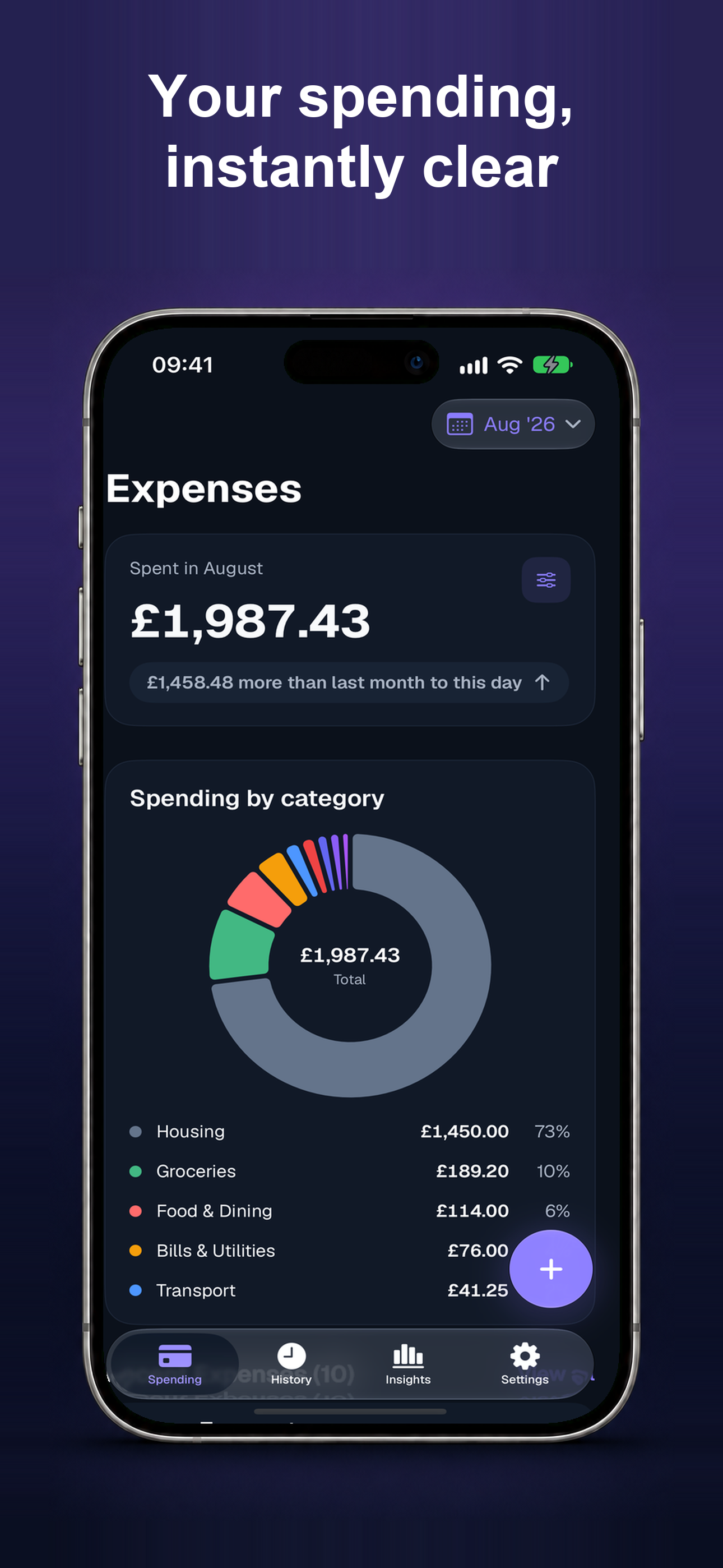
Make everyday spending easier to see and easier to plan. Spendra is a focused expense tracker for recording purchases, setting a monthly budget and understanding where your money goes — across iPhone, iPad, Mac and Apple Watch.
Free, always: unlimited manual expense creation, editing, duplication and deletion; a clear dashboard and searchable history; an overall monthly budget and reminders; Face ID or other device authentication; versioned JSON backup and restore; and full access to delete your own records at any time.
- Add and organise expenses with categories, accounts, tags and notes.
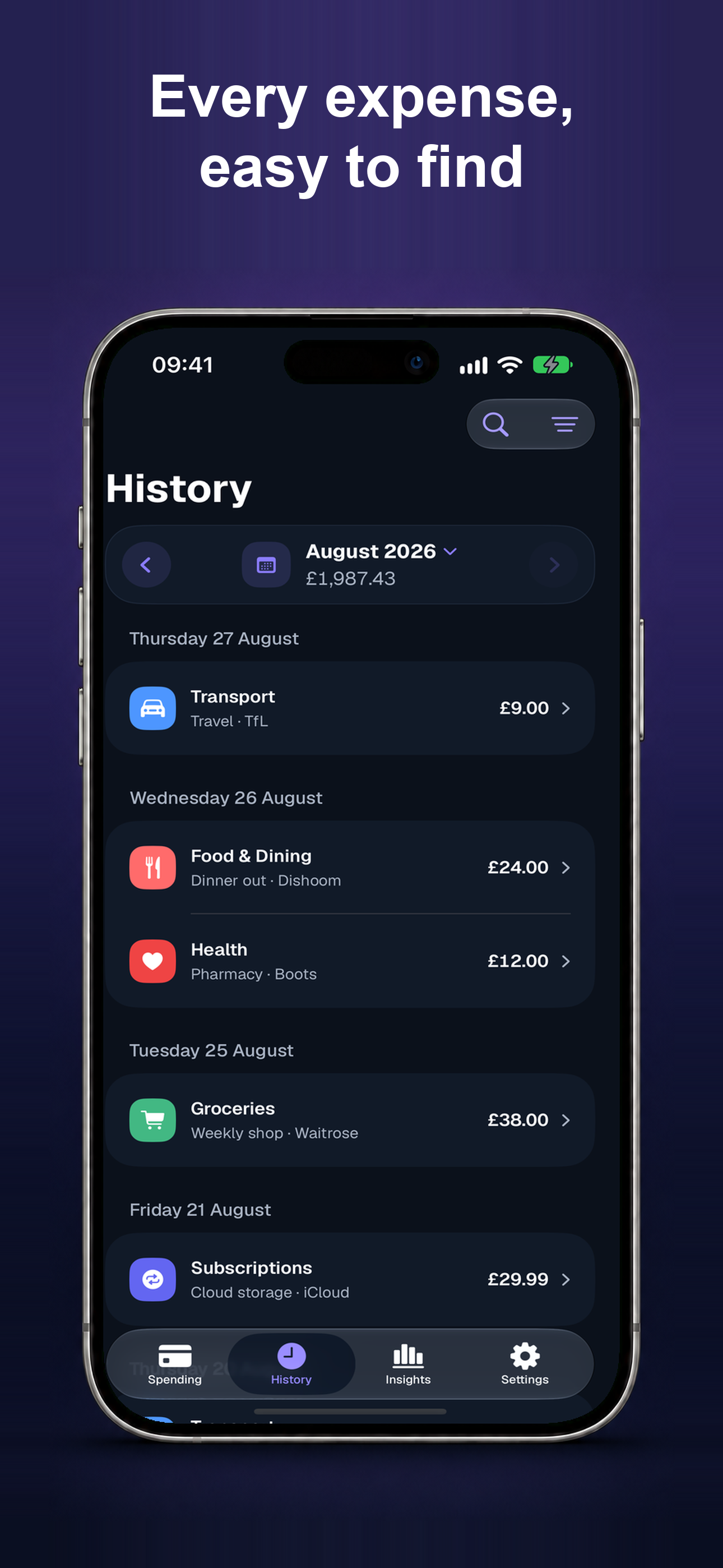
- See a clear dashboard and searchable history with filters for the details that matter.
- Set an overall monthly budget, with reminders to help you stay on track.
- Create and restore versioned JSON backups, and browse spending through calendar history.
- Use Face ID privacy lock and manage reminders, appearance and local preferences from Settings.
Spendra Pro is an optional upgrade — monthly, annual, or a one-time lifetime purchase — that unlocks:
- Unlimited receipt scanning with Apple Vision (three useful scans are complimentary).
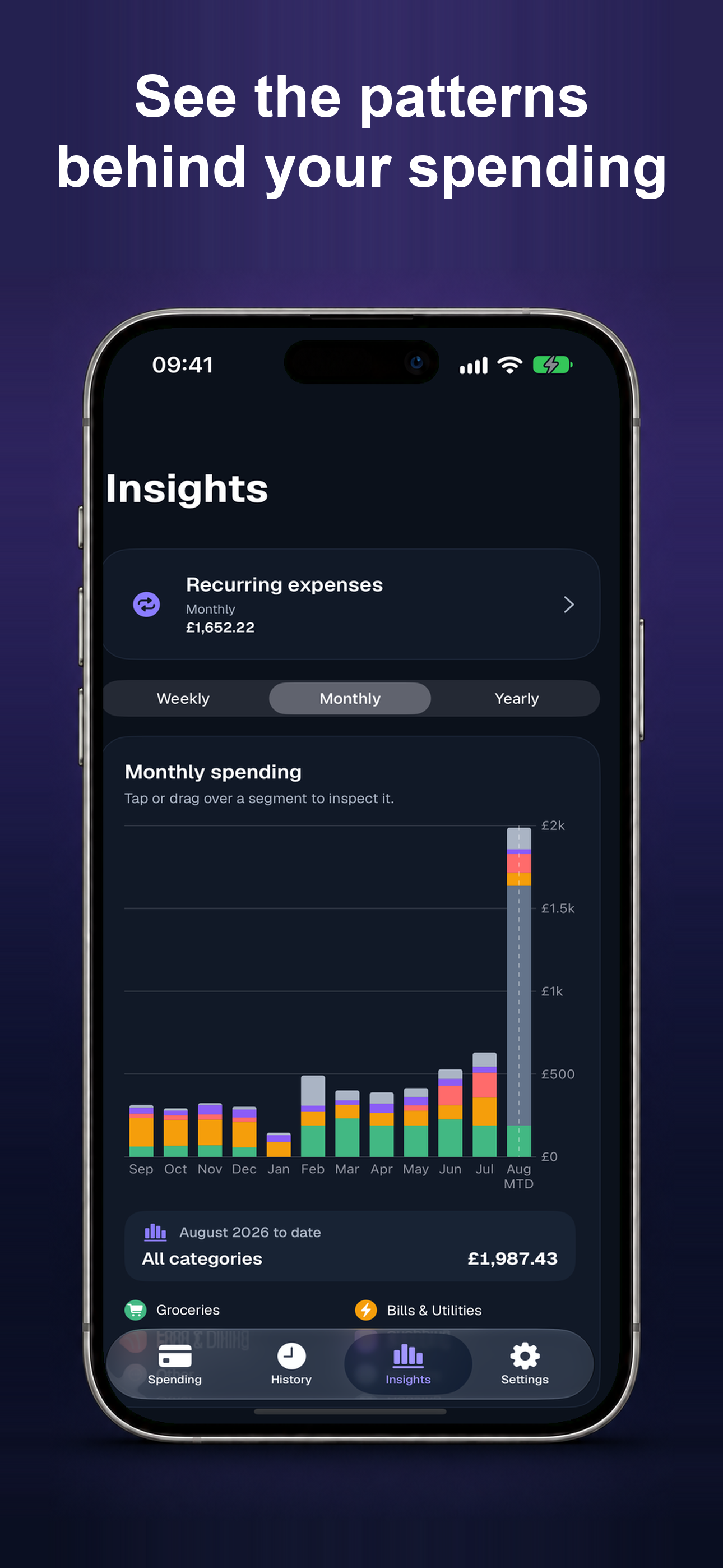
- Full Insights — weekly, monthly and yearly periods, comparisons, charts and category drill-down.
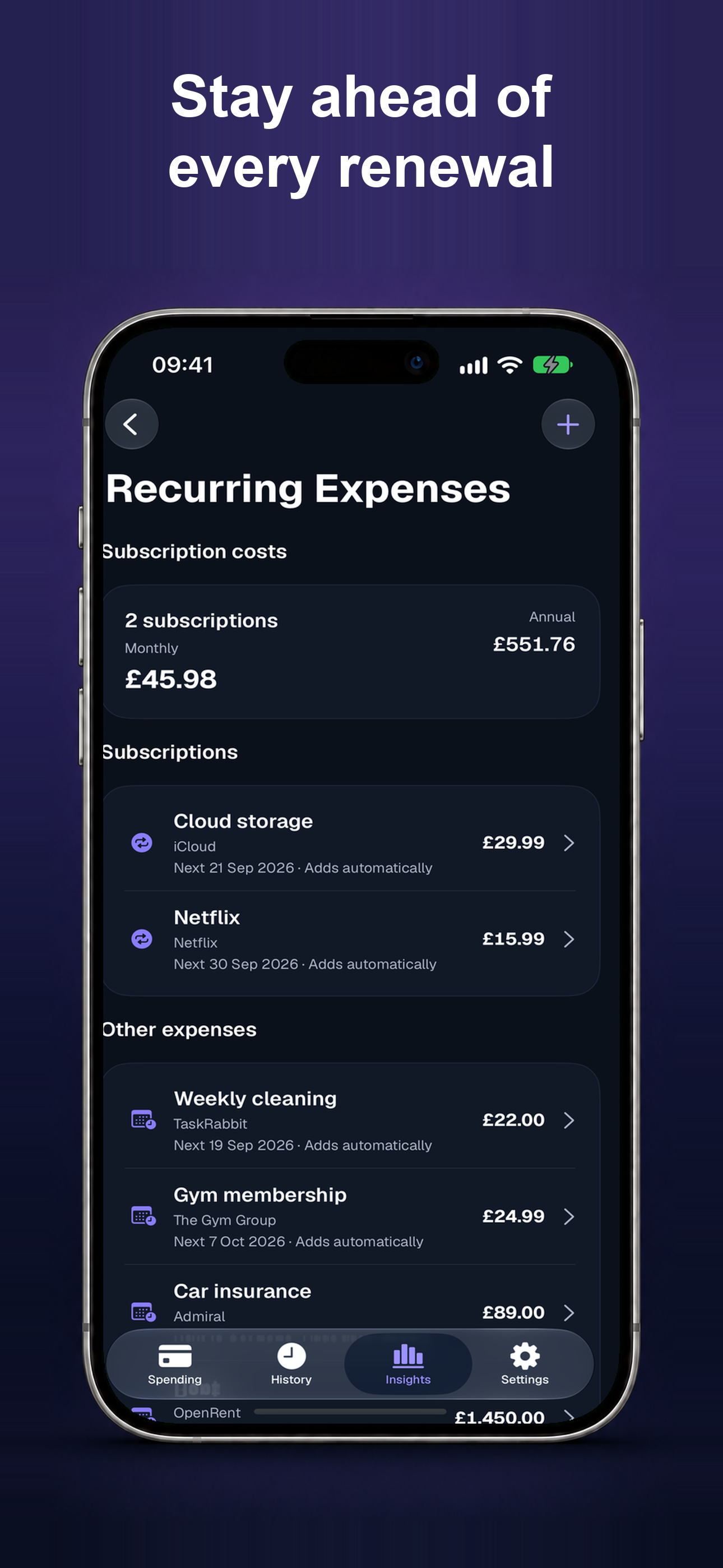
- Recurring expenses with automatic posting, subscription detection, price-change insights and renewal reminders.
- CSV export for spreadsheet-ready records.
- Quick add with Siri and App Intents, from the Mac menu bar, and on Apple Watch.
Pricing and any eligible introductory offer are shown in the app before you buy, and Restore Purchases is available from the paywall and Settings. If Spendra Pro ever lapses, existing records remain visible and editable, and JSON backup remains free. CSV export requires Spendra Pro.
Spendra syncs records through a private iCloud database. Apple Watch entries transfer to the paired iPhone through WatchConnectivity and then sync; availability depends on pairing and connection. Preferences remain device-local.
Choose from the full ISO currency list. Spendra reports each currency separately and does not convert between currencies or provide exchange rates. Spendra requires no separate account, does not connect to banks and does not provide financial advice. Camera, device authentication, notifications, Siri, exports and WatchConnectivity depend on device capabilities, permissions and system support.
Frequently asked questions
Is Spendra free?
Yes. Spendra is free to use with no sign-in required — unlimited manual expense tracking, your dashboard, an overall monthly budget, versioned JSON backup and restore, and full access to delete your own data. An optional Spendra Pro upgrade (monthly, annual, or a one-time lifetime purchase) unlocks unlimited receipt scanning, full Insights, recurring automation, CSV export, and quick add with Siri and App Intents, from the Mac menu bar, and on Apple Watch. If Pro ever lapses, none of your existing data is deleted, hidden or locked.
Do I need to create an account?
No. Spendra has no sign-in or account requirement — sync relies on your existing iCloud account.
How does Spendra sync across my devices?
Records are stored in a private iCloud database and synchronised automatically across your iPhone, iPad and Mac. Preferences and settings stay device-local.
Does Spendra connect to my bank?
No. Spendra does not connect to bank accounts. You enter expenses manually or by scanning a receipt.
Can I track expenses in multiple currencies?
Yes. Spendra supports the full ISO currency list. Each currency is reported separately — Spendra does not convert between currencies or provide exchange rates.
How does receipt scanning work?
Choose a receipt image from your photo library on iPhone, iPad or Mac, or take a photo on a supported iPhone or iPad. Camera permission is needed only when taking a photo. Apple Vision processes the image on-device and suggests details you can review before saving. Three useful scans are complimentary; Spendra Pro removes the limit.
Can I use Spendra on Apple Watch?
Yes, with Spendra Pro. A quick-add complication and app on Apple Watch let you log an expense from your wrist. Entries queue for delivery to your paired iPhone through WatchConnectivity and then sync through iCloud. Delivery can wait until connectivity is available; entries remain pending until the iPhone confirms they were saved.
Can I automate recurring expenses?
Yes, with Spendra Pro. It unlocks recurring-expense automation, subscription detection, price-change insights and renewal reminders. Viewing, editing and deleting existing data remains available if Pro lapses. Spendra currently supports one overall monthly budget rather than per-category budgets.
Can I export my data?
Yes. JSON backup is free on every plan, any time from Settings. CSV export is part of Spendra Pro.
How do I delete my data?
You can delete individual records from within the app, or reset all records from Settings — this propagates the deletion across your synced devices. This is always available, regardless of plan.
Can I lock the app for privacy?
Yes. Spendra supports a Face ID (or other device authentication) privacy lock that you can enable in Settings.
Terms of Use
Last updated: 26 September 2026
By downloading or using Spendra, you agree to these terms and to Apple's Standard End User License Agreement, which also applies to every App Store app and covers subscription billing mechanics in detail. If you don't agree, don't use the app.
Spendra is a personal expense-tracking and budgeting utility. It does not connect to bank accounts, does not provide investment or financial advice, and does not guarantee the accuracy of any calculation, insight, or subscription/price-change detection it surfaces — you're responsible for verifying anything you rely on for a financial decision.
Spendra's free tier includes unlimited manual expense tracking, your dashboard, an overall monthly budget, free JSON backup and restore, and access to delete your own data, with no sign-in required. Spendra Pro is an optional in-app purchase (monthly or annual auto-renewing subscription, or a one-time lifetime purchase) that unlocks the additional features described above.
Subscriptions and purchases:
- Payment is charged to your Apple ID account at confirmation of purchase.
- Monthly and annual subscriptions automatically renew unless auto-renew is turned off at least 24 hours before the end of the current period, and your account is charged for renewal within that same 24-hour window at the price you agreed to.
- Manage or cancel a subscription any time in your device's Settings → [your name] → Subscriptions, or from Spendra's own Settings → Spendra Pro → Manage Subscription.
- The lifetime purchase is a one-time, non-subscription purchase that doesn't renew or expire.
- Refunds are handled by Apple under Apple's own refund policies — Spendra does not process payments or issue refunds directly.
- If a subscription lapses or is refunded, Spendra Pro features stop being available going forward, but none of your existing data is deleted, hidden, or made unreadable — you keep full access to everything you already recorded, and can still export a JSON backup or delete your data at any time.
Your data: Your expense records, categories, accounts, budgets, recurring rules, templates, tags and notes belong to you. They're stored in your own private iCloud account, not on a server we operate, and we don't access or receive them. You can export a copy or delete everything at any time from within the app — see the Privacy Policy for details on what the app accesses and why.
Acceptable use: Don't use Spendra to violate any law, to attempt to reverse-engineer or interfere with the app or its purchase/entitlement system, or to misrepresent your identity in any interaction with us.
No warranty; limitation of liability: Spendra is provided "as is," without warranty of any kind, to the extent permitted by law. We're not liable for any indirect, incidental, or consequential damages arising from your use of the app, including decisions made based on its budgeting or spending information, to the maximum extent permitted by applicable law. Nothing in these terms limits any liability that can't be excluded under the laws that apply to you as a consumer.
Changes: We may update these terms as Spendra changes. Material changes will be reflected here with an updated date. Continued use after a change means you accept the updated terms.
Questions about these terms: see the Support page.